
Gearlynx Debugger
Available for Cross-Platform
Gearlynx Debugger brings full source-level debugging to Atari Lynx homebrew development. Built as a Visual Studio Code extension and powered by the Gearlynx emulator, it lets you debug C and 6502 assembly games compiled with the cc65 toolchain, right inside your editor.
Features
- Source-level debugging for C and 6502 assembly via cc65
.dbgfiles, with.symsymbol-file fallback for assembly-only projects. - Full step controls including step in/over/out, continue, pause, source-line stepping, and frame-level step back using Gearlynx’s rewind.
- Powerful breakpoints: source, conditional, hit count, logpoints, data/watchpoints, function, and instruction breakpoints.
- Variables and memory: CPU registers with individual flag bits, locals, globals, zero-page values, hardware status (Mikey timers, audio, LCD, cart), and memory inspection via the VSCode hex editor.
- Overlay support for cc65 banked ROM segments, with a runtime overlay selector.
- Live screen viewer streaming at 60fps in a dockable panel, with integer scaling and gamepad input forwarded to the emulator.
- Extra tooling: memory map visualization, CPU trace logging, and a loaded-sources list.
Requirements
- Visual Studio Code 1.87.0 or later
- Gearlynx 1.2.15 or later (the first release with
--debug-monitorsupport) - The cc65 toolchain for building Lynx games with debug info
Gearlynx Debugger does not bundle the emulator. Install Gearlynx separately and point the extension at it with the gearlynxDebug.gearlynxPath setting.
Screenshots
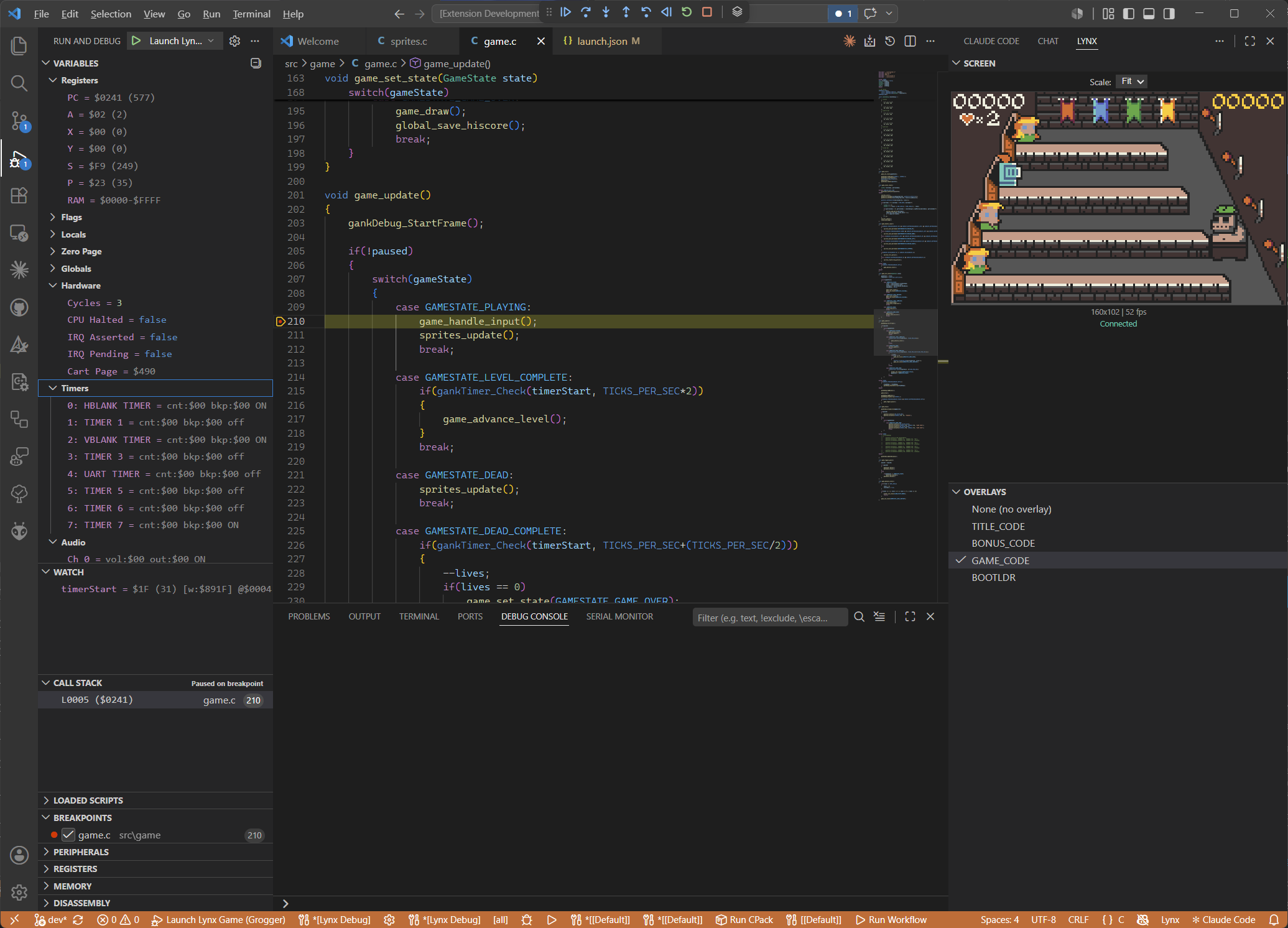
Source-level debugging with screen viewer
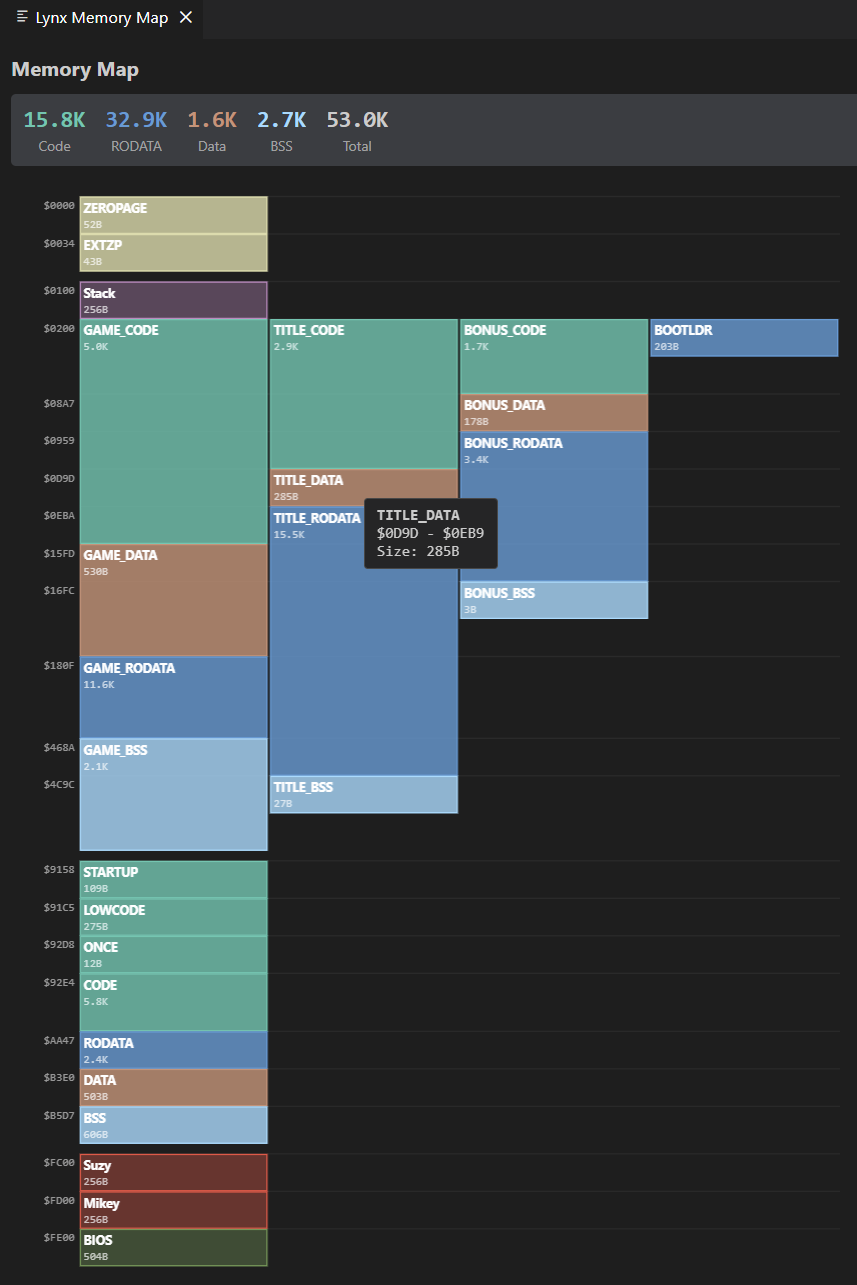
Lynx memory map with segments
Downloads
-
Gearlynx Debugger on the Visual Studio Marketplace
Install directly into Visual Studio Code.